Mobile Tower Cell-ID Info22.0
Publisher Description
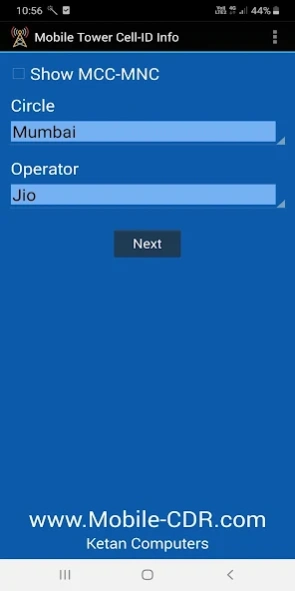


App for searching Tower Address and its Latitude & Longitude (India Specific)
This is a Free App useful for Indian Law Enforcement Agencies only.
It displays the Address, Latitude & Longitude of a given Tower Cell ID.
Note:
1. "Cell ID Database" folder should be present in Mobile or SD Card.
2. We do not provide the "Cell ID Database".
About Mobile Tower Cell-ID Info
The company that develops Mobile Tower Cell-ID Info is Ketan Computers. The latest version released by its developer is 22.0. This app was rated by 29 users of our site and has an average rating of 3.6.
To install Mobile Tower Cell-ID Info on your Android device, just click the green Continue To App button above to start the installation process. The app is listed on our website since 2025-09-09 and was downloaded 31,858 times. We have already checked if the download link is safe, however for your own protection we recommend that you scan the downloaded app with your antivirus. Your antivirus may detect the Mobile Tower Cell-ID Info as malware as malware if the download link to com.mobilecdr.cellid is broken.
How to install Mobile Tower Cell-ID Info on your Android device:
- Click on the Continue To App button on our website. This will redirect you to Google Play.
- Once the Mobile Tower Cell-ID Info is shown in the Google Play listing of your Android device, you can start its download and installation. Tap on the Install button located below the search bar and to the right of the app icon.
- A pop-up window with the permissions required by Mobile Tower Cell-ID Info will be shown. Click on Accept to continue the process.
- Mobile Tower Cell-ID Info will be downloaded onto your device, displaying a progress. Once the download completes, the installation will start and you'll get a notification after the installation is finished.
Program Details
System requirements
Download information
Pricing
Version History
version 22.0
posted on 2025-09-09
- Bug fixes and other improvements.
version 19.0
posted on 2024-03-29
- Added 5G support
version 17.0
posted on 2023-03-20
- Various bug fixes and stability improvements.
version 15.0
posted on 2022-07-20
View on Google Map URL fixed.
Please follow these steps to copy database files...
- Connect mobile to your PC
- Enable 'File Transfer' mode on mobile (default is set to Charging)
- Using Windows Explorer, copy the 'Cell ID Database' folder to the 'Android\data\com.mobilecdr.cellid' folder
version 13.0
posted on 2020-01-24
- Fixed the 'Set Path' option to browse and select the database folder.
- This release includes stability and performance improvements.
version 10.0
posted on 2020-01-07
- Added support for new database format. (November 2019 and higher)
- Fixed the 'Set Path' option to browse and select database folder.
- This release includes stability and performance improvements.
version 9.0
posted on 2018-08-13
This release includes stability and performance improvements.
version 1.2.2
posted on 2010-10-22
Several fixes and updates
